Choosing the Right POS System for Your Business
When it comes to running a successful business, selecting the right Point of Sale (POS) system is crucial. A suitable POS system can streamline operations, enhance customer experience, and boost overall efficiency. This article will guide you through the process of how to choose a POS system that meets your specific needs. We will explore essential features, considerations, and common pitfalls to avoid, ensuring you make an informed decision.
Understanding POS Systems
Before diving into the selection process, it’s essential to understand what a POS system is. A POS system is not only a cash register; it’s an integrated solution that enables businesses to process sales transactions, manage inventory, and analyze customer data.
What Is a POS System?
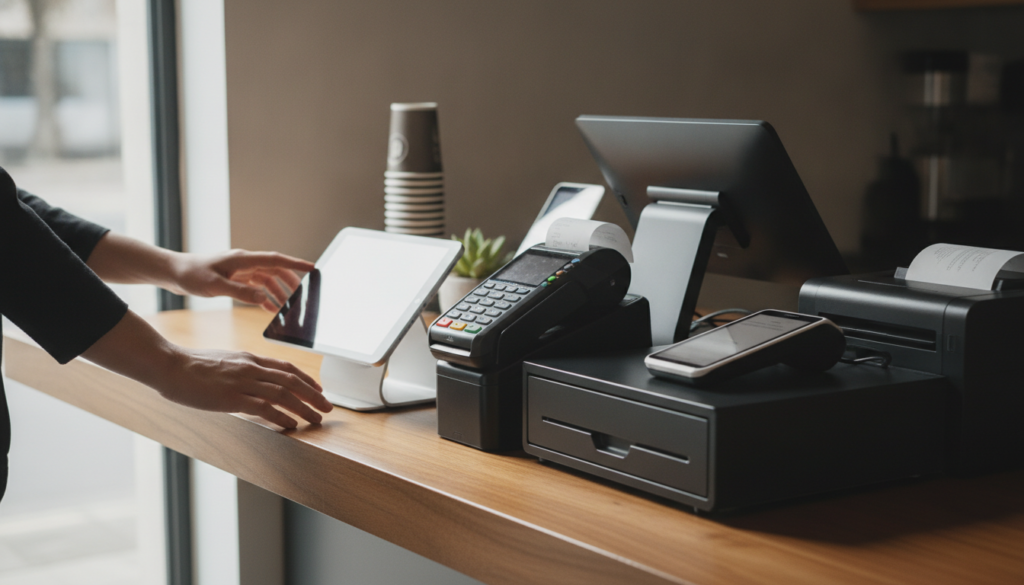
A POS system allows retailers and businesses to transact sales, print receipts, and accept payments. It can include hardware, such as registers and card readers, and software, managing sales and inventory.
Modern POS systems offer a range of functionalities, beyond simple sales processing. Businesses can customize these systems to add features like customer relationship management (CRM), and inventory tracking, enhancing user experience and operational efficiency.
Importance of a Good POS System
The effectiveness of a good POS system impacts various aspects of business management. It can improve speed, accuracy, and reporting capabilities, which are crucial for making informed business decisions.
Furthermore, businesses can leverage the insights from analytical data provided by POS systems. This allows for strategic inventory management and marketing, directly improving profitability and customer satisfaction.
Key Features to Consider
When you decide to choose a POS system, several key features should guide your selection process. These features will directly influence how smoothly your business operates.
User-Friendly Interface
A user-friendly interface is vital. Staff should effortlessly understand how to operate the system, minimizing training time and error rates.
Features like intuitive navigation and clearly labeled buttons can significantly enhance user experience. Consider requesting demos to ensure all users find the interface manageable.
Inventory Management Tools
Robust inventory management is critical. The system should track inventory levels, notify you when stock is low, and help manage supply orders.
Additionally, consider solutions that enable product categorization and provide insights on sales trends. This functionality helps businesses make informed purchasing decisions and streamline inventory turnover.
Types of POS Systems
Identifying the various types of POS systems available is essential in making a strong choice. Each type offers unique benefits and features suited for different business models.
Cloud-Based POS Systems
Cloud-based POS systems store data online, allowing access from any internet-enabled device. This flexibility facilitates real-time inventory updates and management from multiple locations.
These systems generally offer lower upfront costs since there’s little to no hardware required. This makes cloud-based systems ideal for small to medium-sized businesses looking to cut initial investments.
Mobile POS Systems
Mobile POS systems allow businesses to process transactions via smartphones or tablets. They offer enhanced mobility, making them perfect for businesses that require flexibility, such as food trucks or pop-up shops.
Mobile systems can also reduce the need for a physical checkout space, streamlining the purchasing process for customers. This convenience can significantly enhance customer experience, encouraging repeat business.
Evaluating Cost and Budget
Before making a final decision, it’s crucial to assess the costs associated with different POS systems. These costs can vary widely based on features, functionality, and service models.
Upfront vs. Recurring Costs
Understanding both upfront and ongoing costs is vital. Upfront costs may include hardware purchases, installation, and initial training, while ongoing costs may cover software subscriptions and transaction fees.
A comprehensive cost analysis can provide clarity on what the total financial impact will be over time. Compare options to ensure you select a system that adheres to your budget while meeting your business needs.
Hidden Costs to Consider
Be vigilant about hidden costs, as they can derail your budget. Factors like payment processing fees, support charges, or software upgrades might be additional expenses.
Asking potential vendors about all possible fees upfront can save headaches down the line. This allows for better budget forecasting and prevents unexpected expenses from popping up later.
Integration with Other Systems
Another significant consideration when you choose a POS system is how well it integrates with other tools. Effective integration improves operational efficiency and provides a seamless experience for users.
Accounting Software Integration
Integration with accounting software can save time by automating entries related to sales transactions. It reduces human errors and gives a clearer real-time financial status of the business.
Popular accounting tools, such as QuickBooks or Xero, often work well with various POS systems. Understanding these integrations can streamline financial operations while ensuring accurate record-keeping.
Customer Relationship Management (CRM)
A POS system that integrates with CRM systems offers valuable insights about customer purchasing habits. This data can be pivotal for marketing efforts, allowing you to tailor promotions and communications effectively.
Moreover, it aids in building stronger customer relationships by providing a personalized shopping experience, which can encourage loyalty and repeat purchases.
Testing the System
After narrowing down your options, testing the POS systems becomes vital. Engaging with the software firsthand can reveal its effectiveness.
Trial Periods
Many POS providers offer trial periods. These allow businesses to explore capabilities and discover whether the system’s features meet their needs adequately.
During the trial, focus on essential functions. Engaging with the system helps gauge user-friendliness and whether it aligns with your operational expectations.
Customer Support Evaluation
Evaluate the customer support offered by potential providers. Access to knowledgeable, responsive support can be a game-changer during challenging situations or system issues.
Consider aspects like support availability hours and channels. Reliable support can prevent minor issues from escalating and ensure your operations run smoothly.
| POS Type | Advantages | Disadvantages |
|---|---|---|
| Cloud-Based | Cost-effective, accessible from anywhere, easy updates | Dependent on internet connection |
| Mobile | Flexible, portable, improves customer experience | May lack some advanced features |
| Traditional | Robust features, secure data handling | Higher upfront costs |
Common Mistakes to Avoid
Choosing a POS system involves navigating many options, and several common mistakes can lead to dissatisfaction. Being aware of these pitfalls can help steer your process in the right direction.
Ignoring Business Needs
One of the major mistakes is ignoring the specific needs of your business. It’s crucial to align the system’s capabilities with your operational goals and customer expectations.
Take time to analyze which features are necessary for your operations. This can also involve consulting with your staff to understand their needs to ensure everyone’s familiarity with the incoming system.
Focusing Solely on Cost
While budget constraints are important, choosing a POS system based solely on cost can lead to frustration if it doesn’t meet your operational needs. Lower-priced systems may lack important functionalities.
Instead, evaluate the overall value a system brings to your business. This includes efficiency improvements, customer satisfaction, and how well it integrates with existing tools.
FAQs
What is a POS system?
A POS system, or Point of Sale system, is a solution that allows businesses to process sales transactions and manage inventory in real time. It typically includes both hardware and software components.
How do I choose a POS system?
To choose a POS system, consider features like user interface, inventory management, cost, integration with other systems, and customer support. Assess which features meet your specific business needs.
What is the average cost of a POS system?
The average cost of a POS system varies widely but can range from $1,000 to $10,000 depending on the features, hardware, and subscription plans. Therefore, it’s important to evaluate your budget and business needs.
Can my POS system integrate with my accounting software?
Yes, many POS systems can integrate with popular accounting software like QuickBooks and Xero. This integration facilitates easy management of sales data and financial reporting.
What are the benefits of mobile POS systems?
Mobile POS systems provide flexibility and ease of use, allowing transactions to be processed anywhere. They can improve customer experience and speed up service during busy periods.
Is customer support important for a POS system?
Yes, effective customer support is vital. Reliable support can address issues quickly and minimize downtime, ensuring that your business continues to run efficiently without interruptions.
Conclusion
Choosing the right POS system for your business is a critical decision that can influence overall success. By understanding your specific needs, evaluating available features, and considering integration capabilities, you can make a well-informed choice. Remember to seek input from team members, test systems, and focus on value over cost. Ultimately, the right POS system will help enhance operations, customer experience, and your business’s bottom line.